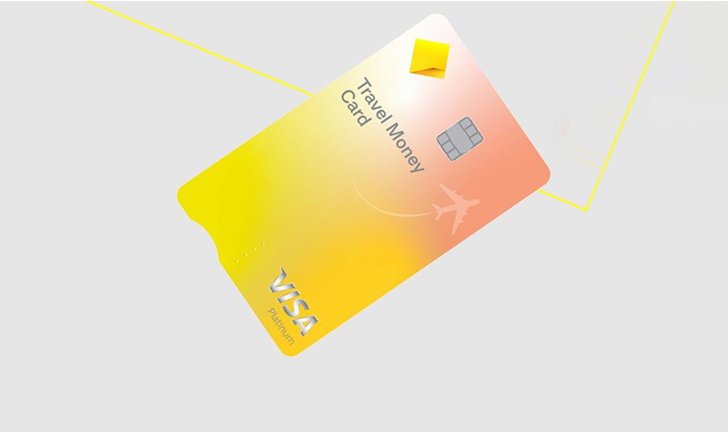
how to add currencies to commbank travel card
Embarking on international travel can be an exhilarating experience, filled with new sights, sounds, and culinary delights. However, managing your finances abroad often presents a unique set of challenges, from fluctuating exchange rates to the security concerns of carrying large amounts of cash. This is where a dedicated travel money card, such as the CommBank Travel Money Card, becomes an invaluable asset for savvy travellers. It offers a convenient and secure way to manage your funds in multiple currencies, ensuring you’re always prepared for your next destination. Understanding how to effectively add currencies to your CommBank Travel Money Card is crucial for maximizing its benefits and enjoying a seamless financial experience overseas.
Understanding Your CommBank Travel Money Card Features
The CommBank Travel Money Card is a prepaid, reloadable Mastercard designed to simplify international spending. It allows you to load up to 11 different currencies onto a single card, locking in exchange rates at the time of loading. This feature can help you mitigate the risk of adverse currency fluctuations, providing greater certainty over your travel budget. The card is widely accepted wherever Mastercard is, making it a versatile payment solution across the globe.
Key features that make this travel money card a smart choice include:
- Multi-currency capability: Load up to 11 major currencies (AUD, USD, EUR, GBP, NZD, CAD, HKD, JPY, SGD, THB, ZAR).
- Exchange rate locking: Secure your exchange rate when you load funds, protecting against market shifts;
- Enhanced security: Separate from your main bank account, it reduces risk if lost or stolen, and comes with chip and PIN protection.
- Convenient access: Manage your card and funds easily online or via the CommBank app.
- No international transaction fees: Avoid common fees associated with using a standard debit or credit card overseas.
Seamlessly Adding Currencies to Your CommBank Travel Card
Adding foreign currencies to your CommBank Travel Money Card is a straightforward process, designed for ease and flexibility. You can top up your card before you travel or even while you’re abroad, ensuring you always have access to the funds you need. Commonwealth Bank offers several convenient methods for loading funds, catering to your preferences.
Step-by-Step Guide to Loading Foreign Currency Funds
Here’s a detailed breakdown of how you can add currencies to your CommBank Travel Money Card:
- Log in to NetBank or the CommBank App: The easiest and most common method is through CommBank’s online banking platform, NetBank, or the CommBank app on your mobile device. Ensure you have your login credentials ready.
- Navigate to your Travel Money Card: Once logged in, locate your Travel Money Card within your accounts list. It’s usually listed under ‘Cards’ or ‘Travel Money’.
- Select ‘Add Funds’ or ‘Reload’: Look for an option that allows you to add money to the card. This might be labelled ‘Add Funds’, ‘Reload’, or similar.
- Choose the source account and currency: You’ll be prompted to select which of your CommBank accounts (e.g., your everyday transaction account) you wish to transfer funds from. Then, specify the foreign currency you want to load (e.g., USD, EUR, GBP).
- Enter the amount: Input the amount of Australian Dollars (AUD) you wish to convert, or the amount of foreign currency you want to receive. The system will display the real-time exchange rate and the equivalent amount in the other currency.
- Review and confirm: Carefully review the transaction details, including the exchange rate, the amount in AUD, and the amount in foreign currency. Once you’re satisfied, confirm the transaction. The funds are typically loaded onto your card almost instantly.
- In-Branch Visit: Alternatively, you can visit any Commonwealth Bank branch in Australia. A customer service representative will assist you in adding funds and converting them to your desired currency. Remember to bring your card and identification.
Key Considerations When Adding Foreign Currencies
When adding funds to your card, keep the following in mind:
- Exchange Rates: Exchange rates are dynamic. It’s wise to monitor rates and load funds when the exchange rate is favourable to maximize your travel budget.
- Loading Limits: Be aware of any minimum or maximum loading limits that may apply to your card or specific currencies.
- Processing Time: While online transfers are usually instant, transfers from external banks or during off-peak hours might take slightly longer.
- Available Currencies: Ensure the currency you need is one of the 11 supported currencies on the CommBank Travel Money Card.
Benefits of a Multi-Currency CommBank Travel Card
Utilizing a CommBank Travel Money Card offers numerous advantages that enhance your travel experience and financial security. It stands out as a superior option compared to traditional payment methods in many scenarios.
| Benefit Category | Description of Advantage |
|---|---|
| Exchange Rate Certainty | Lock in favourable exchange rates when you load funds, protecting your budget from unexpected currency fluctuations during your trip. |
| Enhanced Security | Separates your travel funds from your main bank accounts, reducing risk. Chip and PIN protection, plus 24/7 global assistance, offers peace of mind. |
| Budget Control | Pre-loading funds helps you stick to a travel budget by only spending what you’ve loaded, preventing overspending. |
| Convenience & Acceptance | Widely accepted globally wherever Mastercard is, eliminating the need to carry large amounts of cash. Easy to manage and reload online. |
| Reduced Fees | Avoids international transaction fees often charged by standard debit or credit cards when spending overseas. |
Write a quality, in-depth, magazine-style article on the topic:
Write in English
Use a clickbait and catchy headline. Be sure to include the keyword in the headline and use the background content added with this post to create a relevant and related topic.
Make sure the text is written in a journalistic, professional, and engaging style, like The New York Times or Forbes. The tone should be optimistic, forward-looking, and persuasive. Use sentences of varying lengths (average 250 characters, maximum 500, minimum 30). Use appropriate analogies, descriptive adverbs (e.g., “incredibly effective”), and correct adverbial phrases (e.g., “By integrating insights from AI…”). Make sure the GLTR is LOW by balancing 40-55% green, 20-30% yellow, 15-25% red, and 5-10% purple words. Use present and past participles to add dynamism. Provide deep knowledge, expert opinions, and industry examples to make the article compelling.
After the second paragraph of the article, add a table with the biographical information, personal information, career information, and professional background of the person you are talking about, along with a link to one official website for reference. The table should be in a format that is easy to embed in WordPress.
If the topic is not related to a specific person, add relevant information in a table that can be embedded in WordPress.
Ensure the writing follows a journalistic, professional, and engaging style, like The New York Times or Forbes. The tone should be optimistic, forward-looking, and persuasive. Use varied sentence lengths (average 250 characters, max 500, min 30). Incorporate relatable analogies, descriptive adverbs (e.g., ‘remarkably effective’), and proper adverbial phrases (e.g., ‘By integrating AI-driven insights…’). Ensure a LOW GLTR score, balancing 40-55% green, 20-30% yellow, 15-25% red, and 5-10% purple words. Use present and past parts to enhance dynamism. Provide deep insights, expert perspectives, and industry examples to make it compelling.
After the second paragraph of the article add table with bio data and personal information, career, professional information of person in topic, also add link to one authentic website for reference, the table should be in the form that it can be easily inserted in wordpress.
If the topic is other than person related than add related information in the form of table that can be inserted in wordpress.
Frequently Asked Questions About Your CommBank Travel Card
Navigating international finances can sometimes raise questions. Here are some common queries regarding the CommBank Travel Money Card:
What currencies can I load onto my CommBank Travel Money Card?
You can load up to 11 major currencies: Australian Dollar (AUD), US Dollar (USD), Euro (EUR), British Pound (GBP), New Zealand Dollar (NZD), Canadian Dollar (CAD), Hong Kong Dollar (HKD), Japanese Yen (JPY), Singapore Dollar (SGD), Thai Baht (THB), and South African Rand (ZAR).
Is there a fee to add currencies to my card?
Commonwealth Bank does not typically charge a fee for loading funds onto your Travel Money Card via NetBank or the CommBank app. However, exchange rates will apply when converting AUD to a foreign currency.
Can I add funds to my card while I am overseas?
Yes, you can easily add funds to your CommBank Travel Money Card from anywhere in the world using NetBank or the CommBank app, provided you have an internet connection and funds in your linked CommBank account.
What happens if I have leftover currency on my card after my trip?
You can keep the leftover foreign currency for your next trip, transfer it to another currency on your card, or convert it back to AUD and transfer it to your CommBank bank account (exchange rates and fees may apply for conversion back to AUD).
What should I do if my CommBank Travel Money Card is lost or stolen?
Immediately report a lost or stolen card by calling Commonwealth Bank’s 24/7 global assistance hotline. They can block your card and arrange for an emergency card replacement or cash disbursement if needed.
Navigating your finances internationally with a CommBank Travel Money Card offers unparalleled convenience and peace of mind. By mastering the simple process of adding currencies, you empower yourself with greater control over your travel budget and spending. The ability to lock in exchange rates and manage multiple currencies on a single card ensures you’re always prepared for whatever your journey brings. This intelligent financial tool transforms potential travel stress into a smooth, enjoyable experience. Embrace the freedom and flexibility that comes with smart currency management, making every global adventure truly memorable.
Author
